
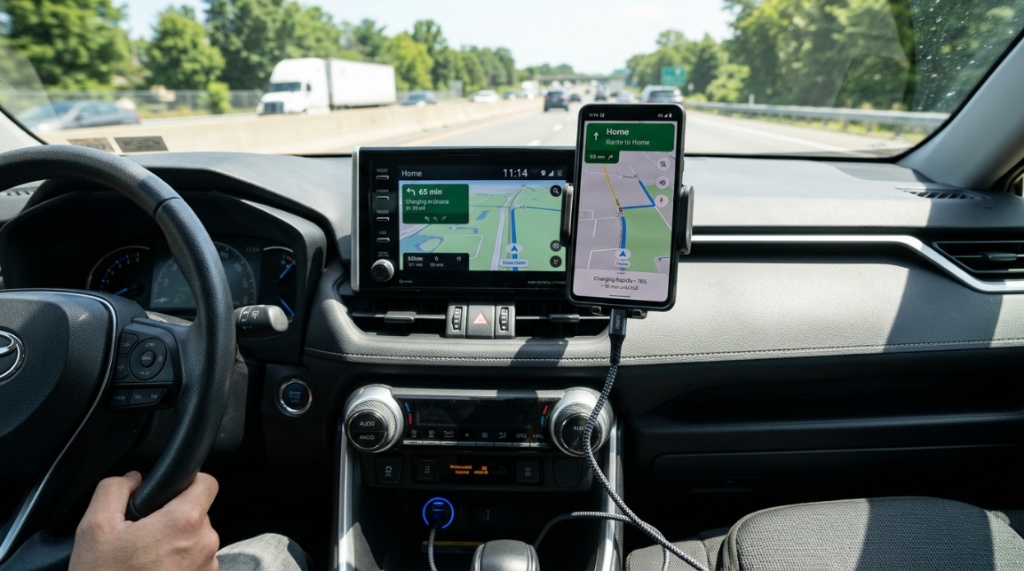
17 Aug How to Pick a Car Charger for Colorado Road Trips
You’re packed, the playlist is set, and the mountain pass is calling. But your phone is at 15%, and your dash cam just died. Nothing kills the Colorado adventure vibe faster than a dead device on a winding canyon road. Whether you’re navigating I-70 through a snowstorm, heading to a trailhead near Telluride, or just commuting through Denver, a reliable power source isn’t a luxury—it’s a survival tool. The challenge is that not all car chargers handle the rugged, altitude-driven demands of the Centennial State. You don’t need just any accessory; you need the best car charger for road trips that withstands extreme temperatures, long distances, and heavy simultaneous device usage.
What Makes a Car Charger Different for Colorado Driving?
Colorado’s environment is unique. High altitude means thinner air, which affects cooling efficiency. Extreme temperature swings—from freezing mountain mornings to hot valley afternoons—stress electronics. A standard $10 charger from the gas station might work in Ohio, but it often fails here. You need a charger engineered for resilience and high-output performance.
The Altitude and Thin Air Problem
At 8,000 feet, the air is less dense. This reduces the effectiveness of passive cooling. Chargers that rely on simple heat dissipation can overheat quickly, leading to throttled charging speeds or complete shutdown. Look for chargers with metal housings or active cooling features, not just cheap plastic casings that trap heat.
Extreme Temperature Fluctuations
Your car interior can go from -10°F at a ski resort to 90°F in a sunny parking lot in Boulder. Cheap capacitors and wiring inside standard chargers can degrade under this stress. High-quality chargers use industrial-grade components rated for -20°F to 158°F operation. This ensures your charger won’t crack or fail midway through a six-hour drive.
Vibration and Reliability on Rough Roads
Rocky Mountain passes are not smooth highways. Continuous vibration from washboard gravel roads or potholed city streets can loosen internal components. A quality charger uses reinforced solder joints and sturdy USB-C connectors that lock into place, preventing intermittent power loss that confuses your phone’s charging circuit.
Which Charging Ports Should You Prioritize for 2026?
In 2026, the charging port landscape has shifted decisively. You need USB-C Power Delivery (PD) 3.1 or higher for modern phones and laptops. USB-A ports are now secondary, used only for older dash cams or legacy devices. Prioritizing the right ports ensures future-proofing and maximum speed.
USB-C PD: The King of Speed
USB-C PD is the non-negotiable standard. For rapid charging, you want at least 45W per port, but ideally 65W or 100W. This power level allows you to charge a MacBook Pro or a high-end Android phone at full speed while simultaneously running a GPS navigation app. Without sufficient wattage, your phone might only maintain its current battery level instead of actually charging up.
USB-A: Still Relevant for Accessories
Don’t completely ignore USB-A. Many action cameras (like GoPros) and tire pressure monitors still use USB-A cables. Having one port available prevents needing to buy adapter cables. However, this port should be secondary—it should provide at least 12W (5V/2.4A) to efficiently power an iPhone 11 or a Bluetooth speaker.
Multi-Port Simultaneous Output
Traveling with passengers means multiple devices. A great charger maintains high output across all ports simultaneously. For example, a 65W dual-port charger should deliver 45W to a laptop and 20W to a phone at the same time, without cutting power to one device to feed the other.
How Do You Calculate the Total Wattage You Actually Need?
Calculating wattage is simpler than you think. First, check the wattage your devices require. A smartphone needs roughly 20W. A tablet needs 30W. A laptop needs 45W to 100W. Add up the maximum wattage of devices you plan to charge SIMULTANEOUSLY, and add a 20% buffer for efficiency losses.
Step-by-Step Wattage Audit
- Identify your max load: List all devices you plug in at once (phone, camera, iPad).
- Check their input limits: Look at the “input” label on the charger brick for each device.
- Sum the highest readings: If your phone needs 20W and your iPad needs 30W, you need at least 50W output just for those two.
- Add the buffer: Multiply the total by 1.2 to get your recommended minimum wattage.
For most Colorado families, a 65W total output is the sweet spot. For solo drivers with heavy gear, consider 100W+ units.
Why Wattage Ratings Are Often Misleading
Beware of “peak” wattage claims. That term refers to the maximum output for only a few seconds, not sustained performance. Look for “continuous output” ratings. A charger that delivers 100W continuously is better than one that spikes to 100W and then drops to 45W after overheating. Always read the fine print on the label.
Does Fast Charging Harm Your Battery on Long Trips?
The short answer is: No, not if the charger uses smart negotiation protocols. Modern devices control the input voltage. A quality charger doesn’t force power in; it negotiates with the phone. The risk comes from low-quality chargers that send unstable voltage spikes.
The Role of Smart Chip Negotiation (PPS)
Programmable Power Supply (PPS) is a USB-C standard that allows the phone and charger to communicate in real-time. This adjusts voltage in tiny increments to keep the battery cool and efficient. Chargers without PPS are less efficient and generate more heat, which is detrimental to long-term battery health, especially in hot cars.
Heat: The Real Battery Killer
Fast charging inherently generates heat. In a Colorado summer, ambient car cabin temps can exceed 120°F. If your charger adds more heat at the device level, your battery degrades faster. To mitigate this, position the charger away from direct sunlight and ensure your phone isn’t lying on a hot leather seat while charging, Before setting off on your long journey with family, make sure you know how to Install a baby car seat correctly in Less Than 15 Minutes for a safe ride.
When to Charge with Standard Speed
If you’re using your phone for navigation and streaming music simultaneously, the battery naturally heats up. In this case, a 20W “trickle” charge is often better than a 65W burst. Many modern chargers have dual modes; you can select standard charging to preserve battery health if you aren’t in a rush.
Which Car Charger Design Is Safest for Mountain Driving?
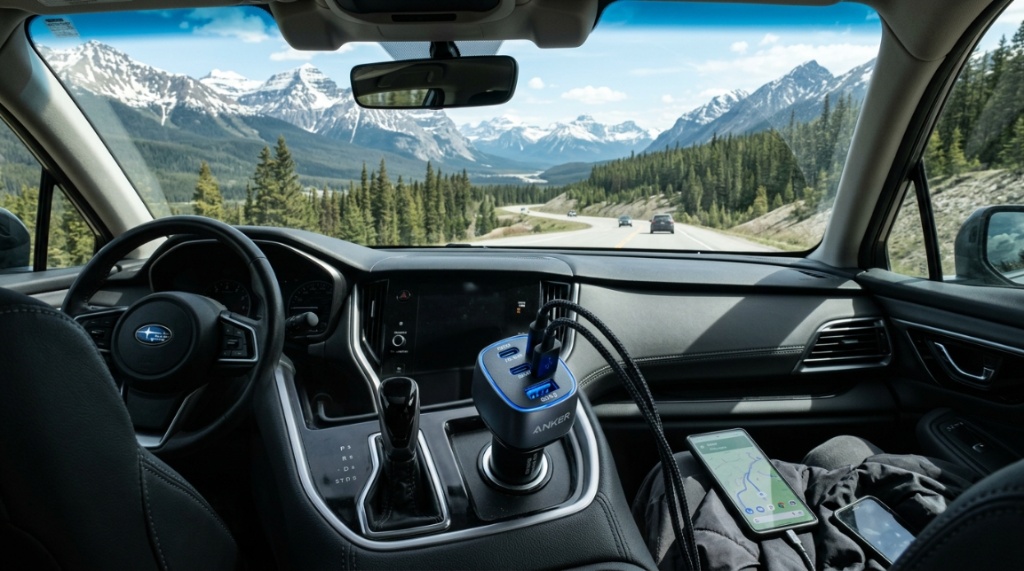
Safety is paramount when navigating switchbacks and icy descents. The design of the charger affects both convenience and risk. A bulky, poorly designed charger can block your gear shift or interfere with the center console. Ergonomics matter.
Compact vs. Bulky: The Physical Footprint
Look for a charger that sits flush with the 12V socket. Chargers that extend 2-3 inches are prone to snapping off if bumped by a knee or a falling water bottle. A low-profile design, often called a “plug-and-flush” style, is robust and unobtrusive.
LED Indicators: Helpful or Distracting?
Many chargers have bright blue or green LED lights. While useful to confirm power, these can be distracting when driving at night on a dark mountain road. Look for chargers with a dimmable LED or a completely dark housing. The absence of light pollution is safer for night driving.
Grip and Retention
Loose connections cause intermittent charging. A good charger uses a spring-loaded mechanism to grip the 12V socket tightly. Some high-end models also include a small strap or tab that makes them easier to pull out without breaking, which is necessary when wearing gloves in winter.
Can a Car Charger Handle a Cold-Weather Dash Cam?
Yes, but only if the charger provides stable output at low temperatures. Dash cams are power-sensitive; a 0.5V drop can cause them to restart continuously. Cold weather exacerbates voltage sag because the car battery output is weaker in the morning.
Understanding Power Fluctuations in Cold Starts
When you start a cold engine, voltage can dip temporarily. A high-quality charger has capacitors that smooth out these dips, providing steady power to the dash cam. Cheaper chargers transmit these fluctuations, causing the dash cam to shut off mid-recording, missing a crucial moment on the road.
Continuous Power vs. Ignition-Based Power
Some Colorado drivers want Parking Mode for their dash cams. This requires a charger that draws power even when the car is off. However, this can drain your car battery overnight. If you use Parking Mode, ensure your charger has a low-voltage cutoff feature that stops drawing power before your car battery dies.
Testing for Cold Weather Reliability
Check if the charger lists an operating temperature range. Ideally, it should operate from -20°F. You can also test it at home by putting the charger in your freezer for an hour, then plugging it in and checking if the output stays stable. This is a practical test that separates durable gear from flimsy ones.
How to Verify the Authenticity and Safety Certifications
Counterfeit chargers flood online marketplaces. Using a non-certified charger can not only start a fire but also damage your vehicle’s electrical system. Safety certifications are non-negotiable for peace of mind on remote drives.
Essential Safety Marks to Look For
- UL Listed: Certifies product safety through Underwriters Laboratories.
- CE Mark: Indicates conformity with health, safety, and environmental standards in Europe.
- FCC Compliance: Ensures electromagnetic interference is within limits.
Look for these logos printed on the product packaging or the device itself. If they are missing, do not buy the product. These marks are there because of rigorous testing, not just marketing.
Why “Cheap” Is Usually More Expensive
A $15 charger that fails and fries your $1,500 iPhone is a bad trade. High-quality chargers use quality cables internally, which cost money. The price difference is typically $20-$40. Consider this an insurance premium against overheating, short-circuiting, and data corruption.
Reading the “E-Mark” Chip
Inside every compliant charger is an electronic marker chip that identifies its capabilities to the phone. If this chip is counterfeit, your phone may draw too much power, leading to overheating. Stick to reputable brands like Anker, Belkin, Spigen, or Aukey, which are known for compliance.
Which Extra Features Are Actually Worth Paying For?
Not all bells and whistles are useful. Some features genuinely improve the road trip experience, while others are just gimmicks. Focus on utility, not novelty. The extras below have proven value for long-distance drivers.
Digital Display: The Useful Feature
A small digital screen showing real-time voltage and amperage is incredibly useful. It tells you if your alternator is putting out healthy voltage (around 14.4V) or if the charger is struggling. This diagnostic ability is a game-changer for EV drivers and those with older trucks.
Built-In Cables
Chargers with integrated cables are convenient, but they often fail first because the cable bends at the strain point. If you choose this design, ensure the cable is reinforced with braided nylon. Detachable cables (with a charging port) are generally more reliable because you can replace broken cables without buying a new charger.
Pass-Through Charging (For EV Drivers)
If you drive an electric vehicle and camp, you might need a charger that works while the 12V socket is powered off. This is rare. A better feature for ICE drivers is an attached clip or magnetic mount to secure the charger in place, preventing it from becoming a projectile in an accident.
Why Is Port Placement Critical for Front-Seat Passengers?
When you have a passenger navigating, they often need to charge their phone and hold it. The charger’s placement in your specific vehicle matters. Not all cars have the same 12V socket location. Some are in the center console, others are on the side of the dash.
Considering Cable Length and Routing
Measure the distance from the 12V socket to where you mount your phone. A 3-foot cable might be too short if the socket is near the floor in the back. A 6-foot cable is usually sufficient for both front seats. Ensure the cable doesn’t drape over the gear shifter or obstruct the steering wheel.
Angle of the Socket
Some sockets are angled downwards. A heavy charger + cable can pull the charger out due to gravity and vibration. Choose a charger with a weighted design or a spring clip that secures to the socket rim. This is a small detail that prevents frustration on bumpy dirt roads.
Family Vehicle vs. Work Truck
In a minivan with three rows, the rear passengers need power too. In this case, a charger with a long cord or a dual-socket splitter (that adds extra 12V ports) might be more beneficial than a high-wattage USB unit. Tailor your choice to your passenger configuration, not just your personal phone.
How to Test Your Car Charger Before a Big Trip
Testing at home saves you from disastrous dead batteries on the road. A simple multimeter and a stress test can reveal if your charger meets the specs. This is a proactive step that professional drivers and RV owners swear by.
The “Full Load” Test
- Plug the charger into your car’s 12V socket.
- Connect a laptop (using USB-C) that draws 45W+.
- Also, connect a phone and a tablet.
- Check if any device disconnected or if the charger heats up excessively.
If the charger survives 30 minutes of this without throttling heat or cutting out, it’s probably reliable.
Voltage Output Verification
Use a USB voltage/current tester (available for $10) to verify the output. Put the tester between the charger and the cable. The voltage should read steadily between 5V, 9V, or 20V depending on negotiation. If it fluctuates wildly, the charger is faulty.
The “Hot Morning” Start Test
Leave your car in the sun for 2 hours, then start it and test the charger immediately. If the charger doesn’t shut down or reduce speed in a hot cabin, it can handle a Colorado summer day. This is the same environment you’ll encounter at a lower elevation trailhead.
Frequently Asked Questions
Can I use a car charger for road trips with a 12V socket on an electric vehicle?
Yes, most EVs have a 12V battery and socket for accessories, but the socket may only work when the car is “on”. Check your EV’s manual. The charger will work, but it drains the accessory battery, so avoid using it for hours while parked unless plugged in.
Is it safe to charge a power bank and a phone at the same time?
Yes, if the charger has sufficient total wattage. Ensure the sum of the devices’ maximum draw does not exceed the charger’s total output. If it does, the charger will shut down to protect itself. A 65W charger can handle a 20W phone and a 30W power bank simultaneously.
What is the lifespan of a reliable car charger?
A high-quality charger should last 3-5 years with regular daily use. The components degrade slower if you avoid high heat. Replacing it when the cable frays or the connector loosens is crucial to prevent shorts.
Why does my charger stop working when the engine starts?
This is usually because of a voltage spike or dip during the cranking of the engine. The charger’s safety circuit may temporarily shut off to protect itself. If this happens frequently, your car battery or alternator might be weak, not the charger.
Can a car charger charge a MacBook Pro or other USB-C laptop?
Only if it supports USB-C Power Delivery with at least 45W, but ideally 65W or more. Check the charger’s specification for “laptop charging”. Standard phone chargers will not provide enough wattage to charge a laptop while in use.
Conclusion
Choosing the right power source for your Colorado road trips is about more than just picking the cheapest gadget on the shelf. It’s about ensuring reliable performance in extreme altitudes, drastic temperatures, and rugged terrain. By focusing on certified safety, continuous wattage output, smart PPS negotiation, and a design that fits your vehicle’s layout, you’re investing in peace of mind. A quality charger is your silent co-pilot, keeping your navigation alive, your dash cam recording, and your family’s devices fully charged. You don’t need to be an electrical engineer to make the right choice—you just need to know what to look for. Next time you head toward the Rockies, do a pre-trip check on your gear, and choose a charger that is as robust as the landscape itself.
No Comments